01
Add items
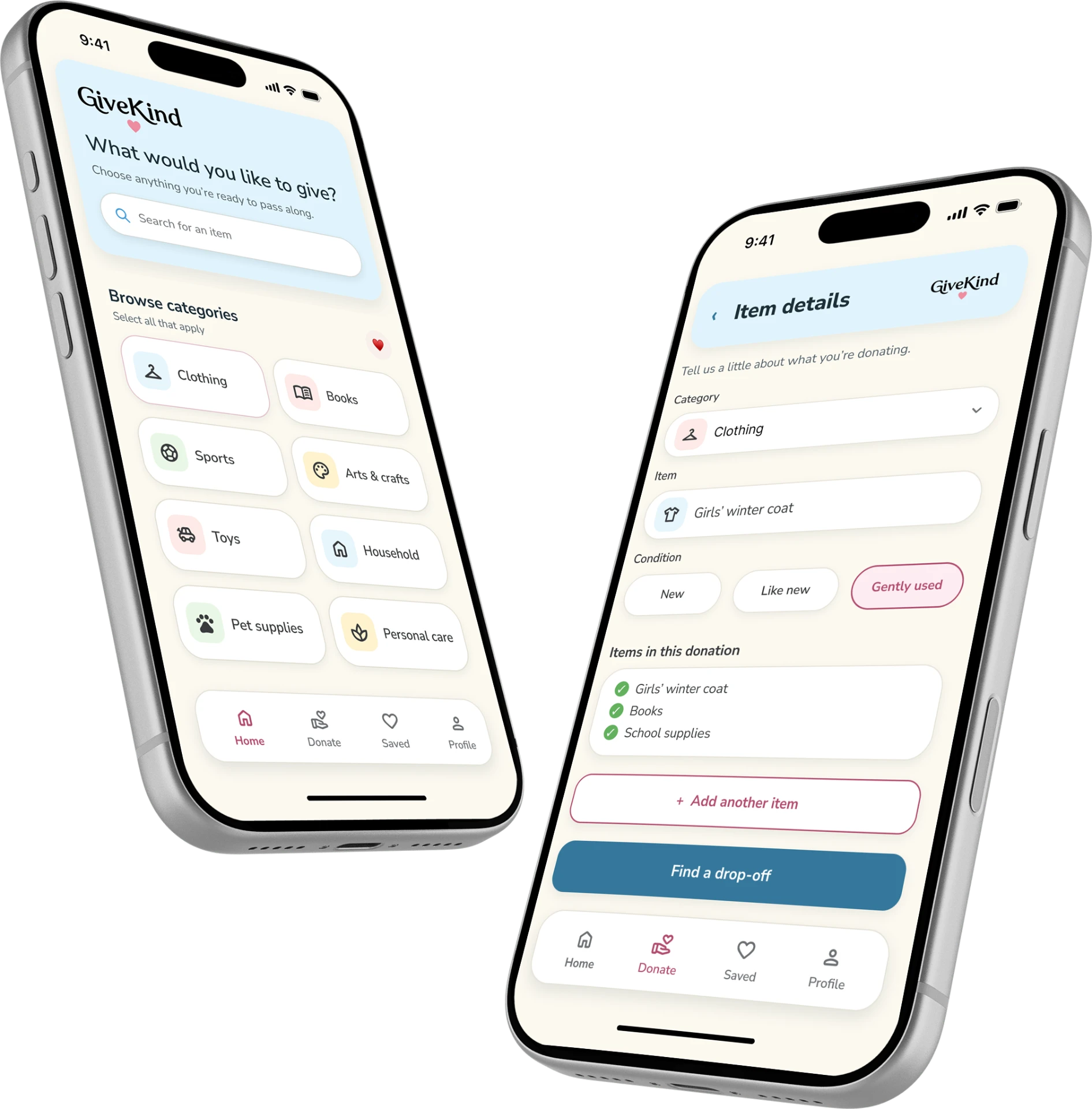
Select multiple donation categories in one session.
RESPONSIVE UX/UI CASE STUDY · 2026
A simpler way to turn items you have
into help youth can use.
GiveKind helps donors list several items, find nearby youth organizations that can accept them, and complete one clear drop-off plan.
OVERVIEW
The experience turns a pile of donation decisions into a short, guided flow with clear local matches and one consolidated next step.
CORE EXPERIENCE
01
Select multiple donation categories in one session.
02
See nearby youth charities that fit what you have.
03
Choose a drop-off and keep the next step clear.
The concept addresses a practical donation challenge: finding a nearby organization that can accept several different items without turning one drop-off into multiple errands.
01
Acceptance details can be difficult to compare when donors have multiple types of items to give.
02
Build an item-first journey that narrows local options before asking someone to choose a drop-off.
DESIGN HYPOTHESIS
Matching a mixed set of items is the decision the experience needs to simplify.
I started with what donors have, not a directory of organizations, so each match can answer a useful question.
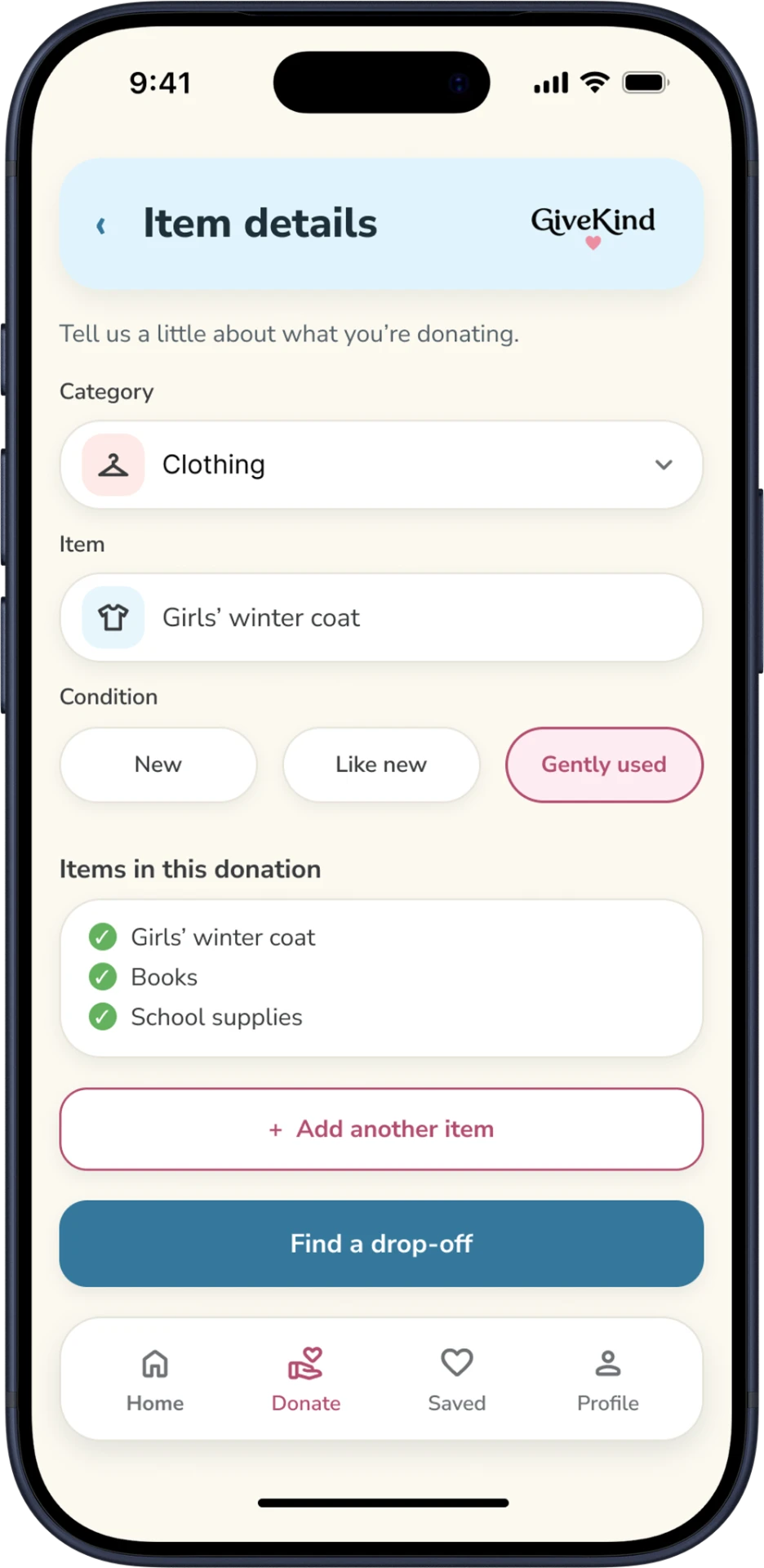
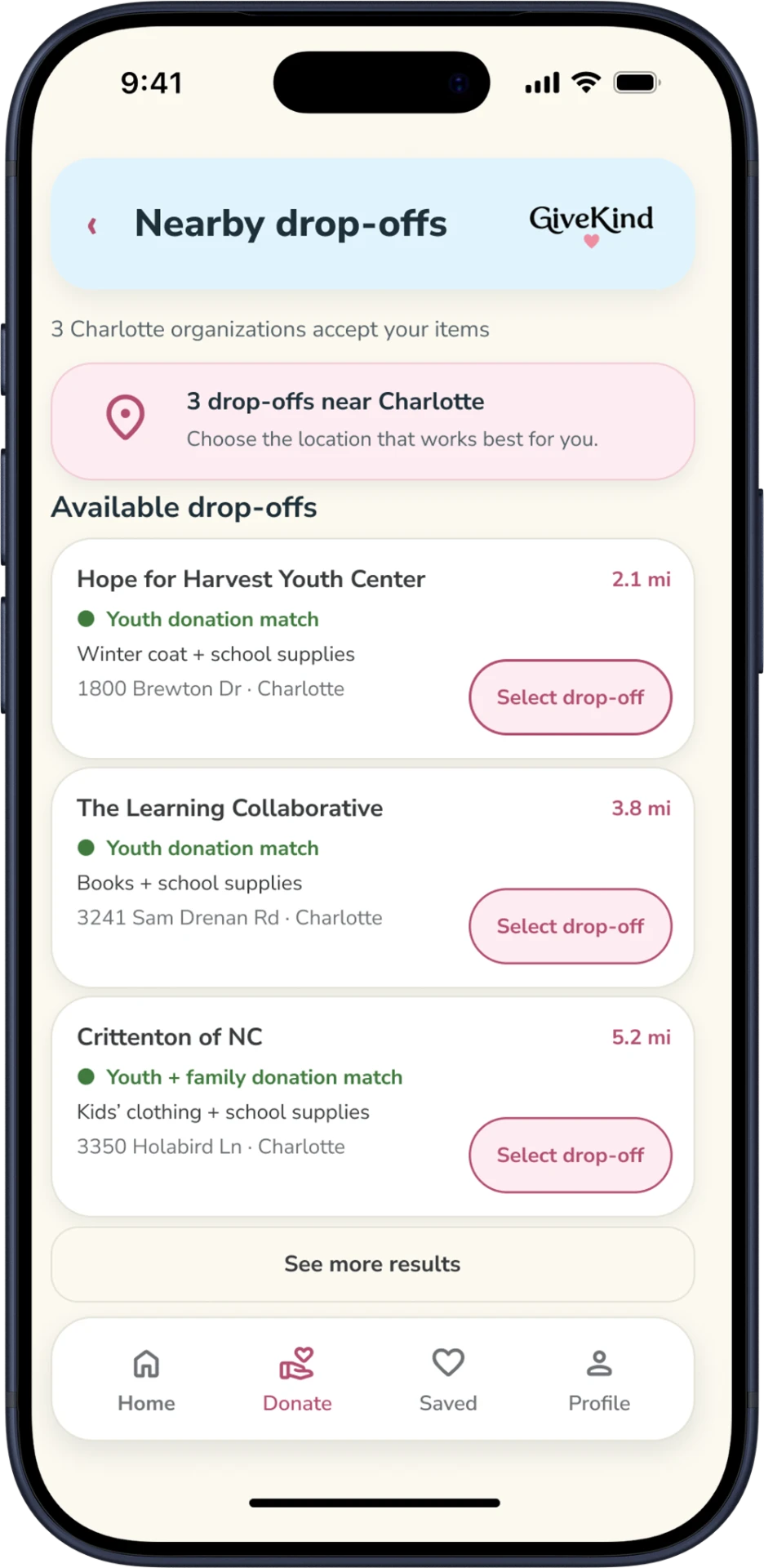
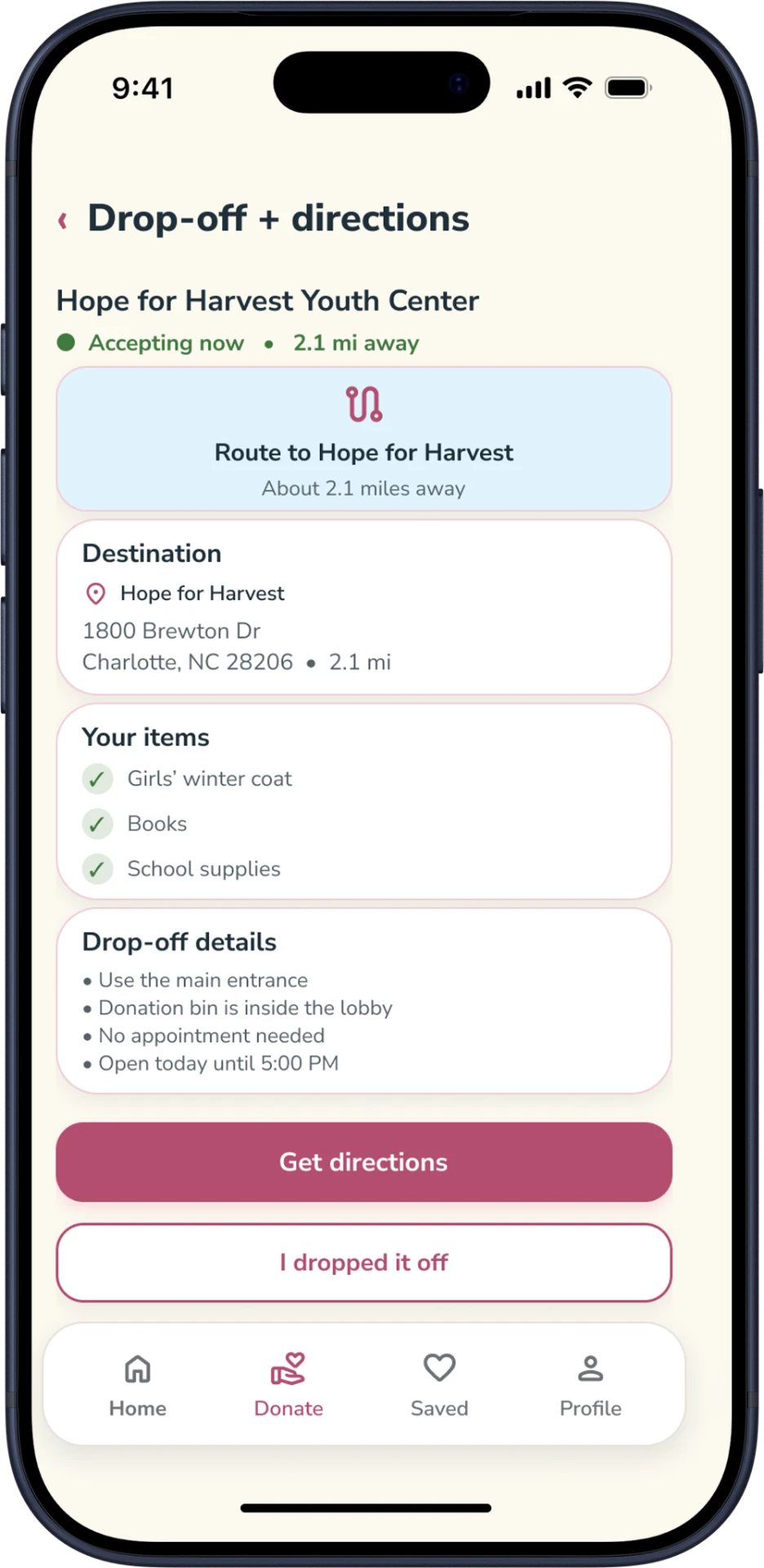
I arranged the journey around four decisions, from describing items to saving the final plan. Each step leads to one clear next action.
01
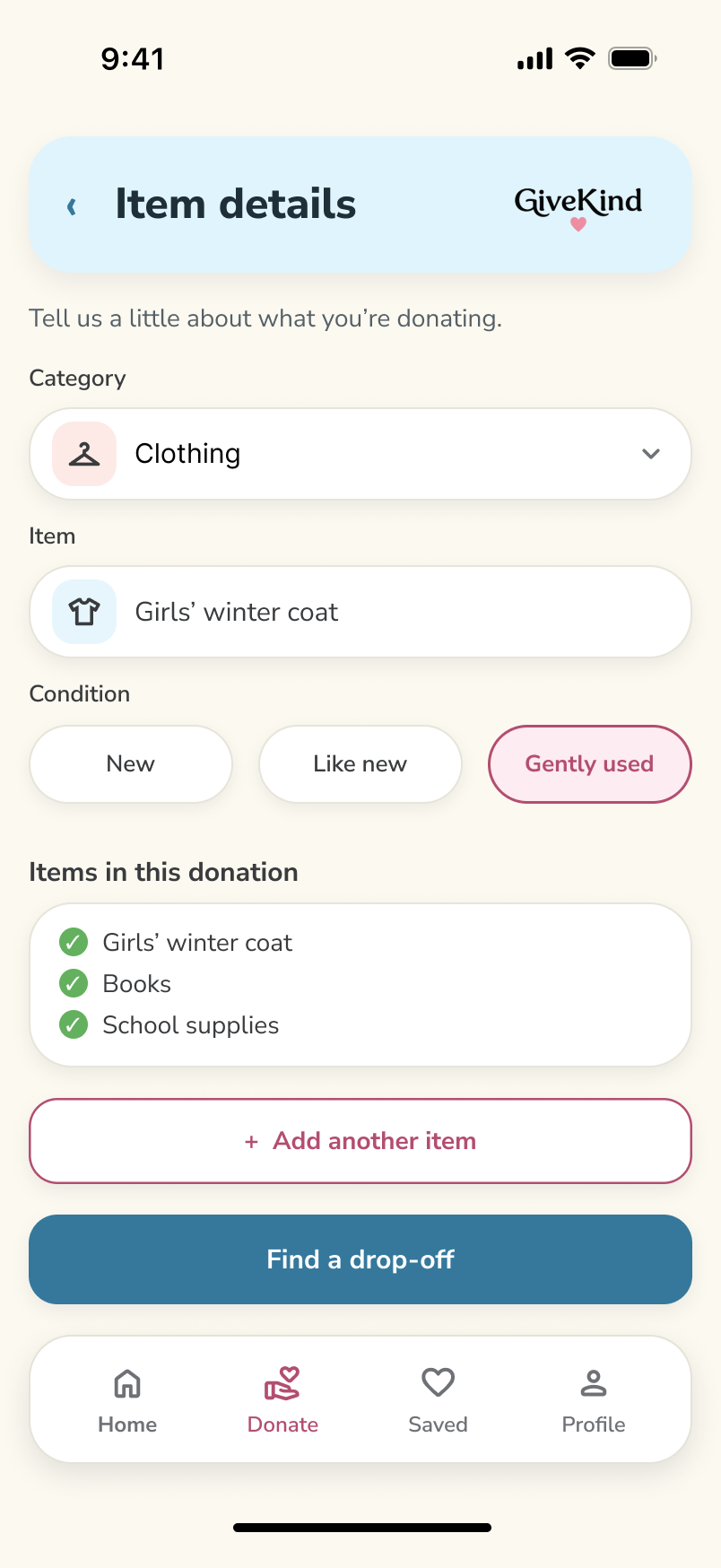
Choose a category and add multiple items.
02
See nearby organizations and what they accept.
03
Review location details and directions.
04
Return to saved and completed donations.
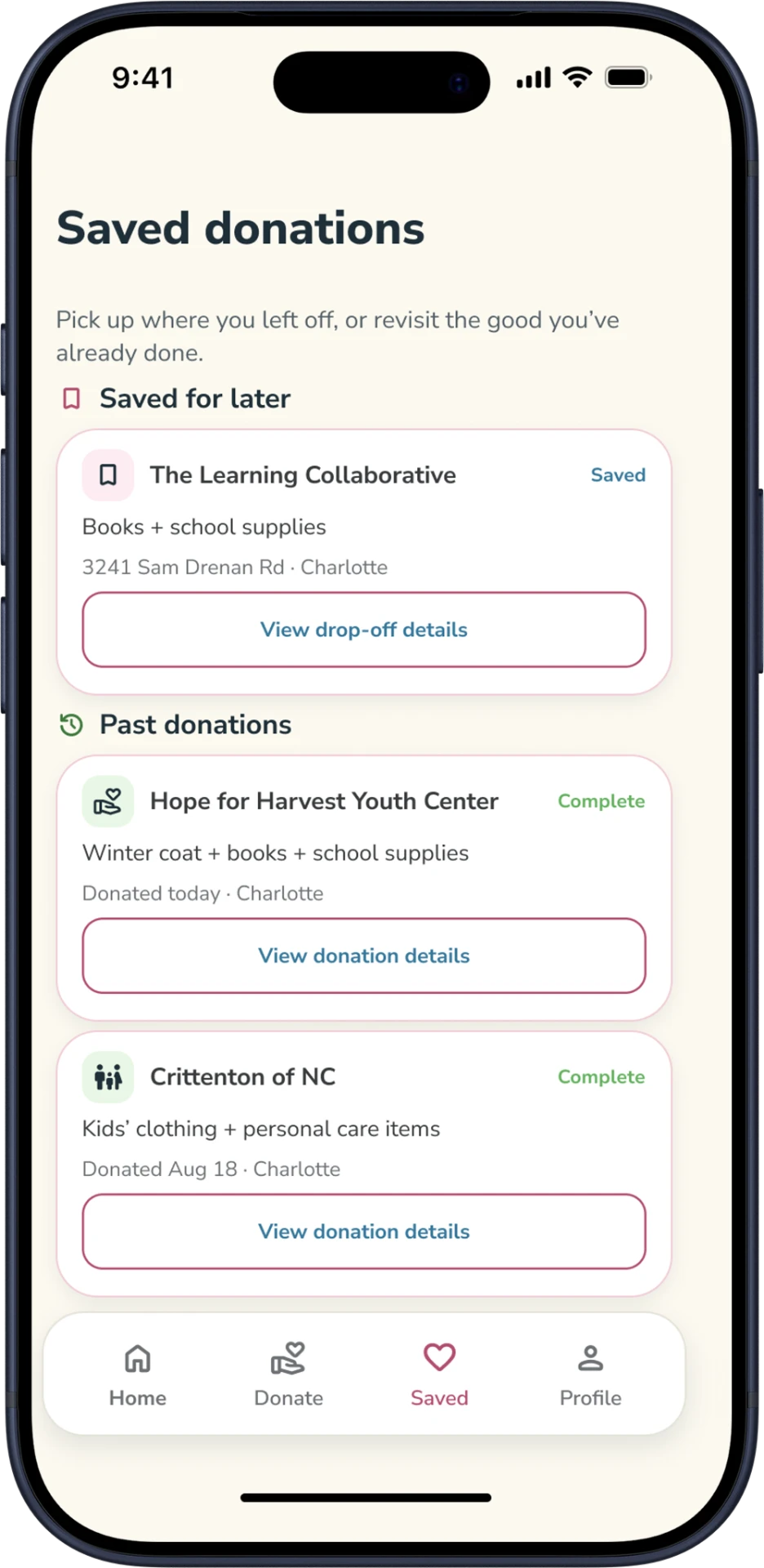
AFTER DROP-OFF · CONFIRMATION & IMPACT
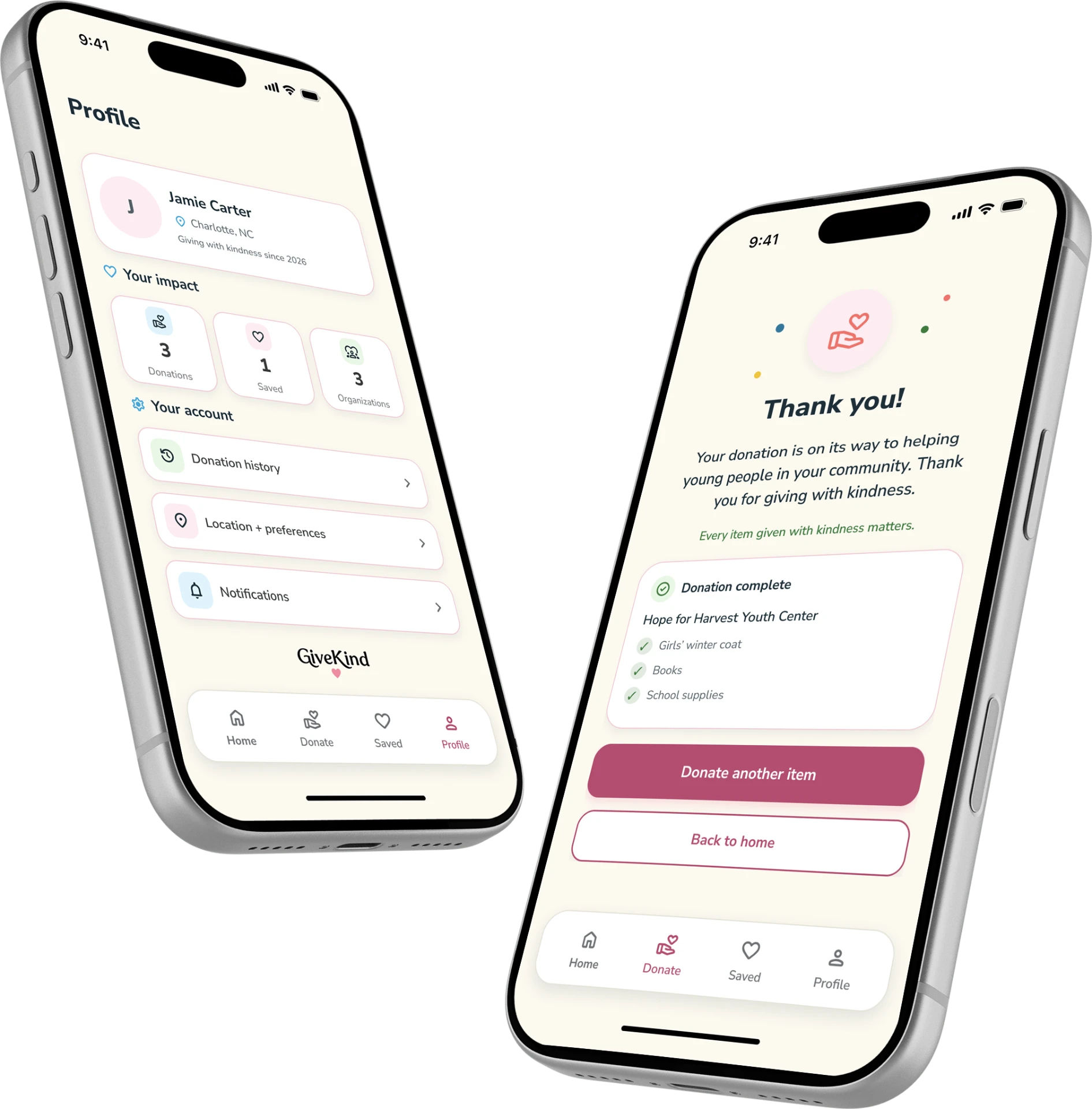
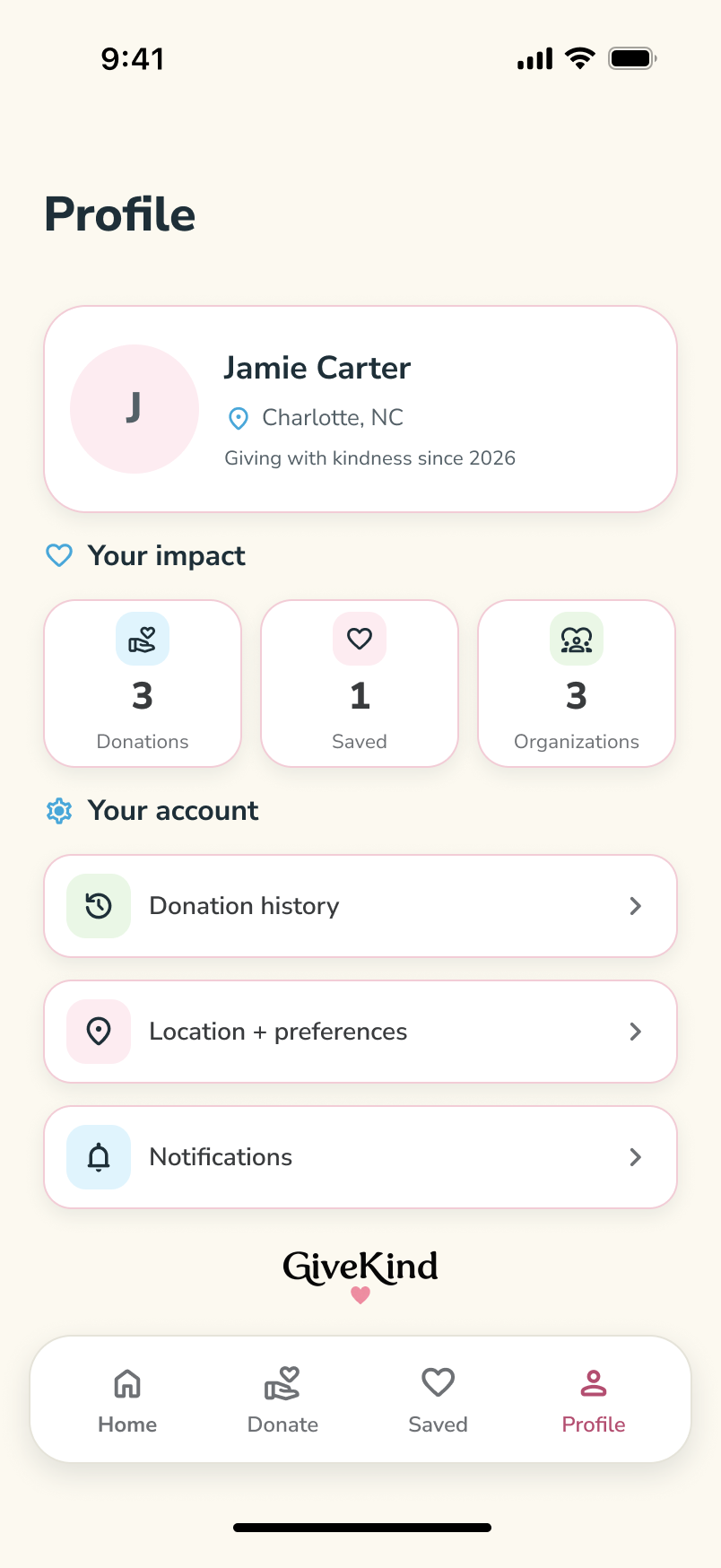
I kept matching, directions, and saved details easy to scan on smaller screens, where each step needs a clear primary action.
KEY MOBILE SCREENS
These screens show local matches, directions, and saved donations. The walkthrough below connects the steps and their navigation states.
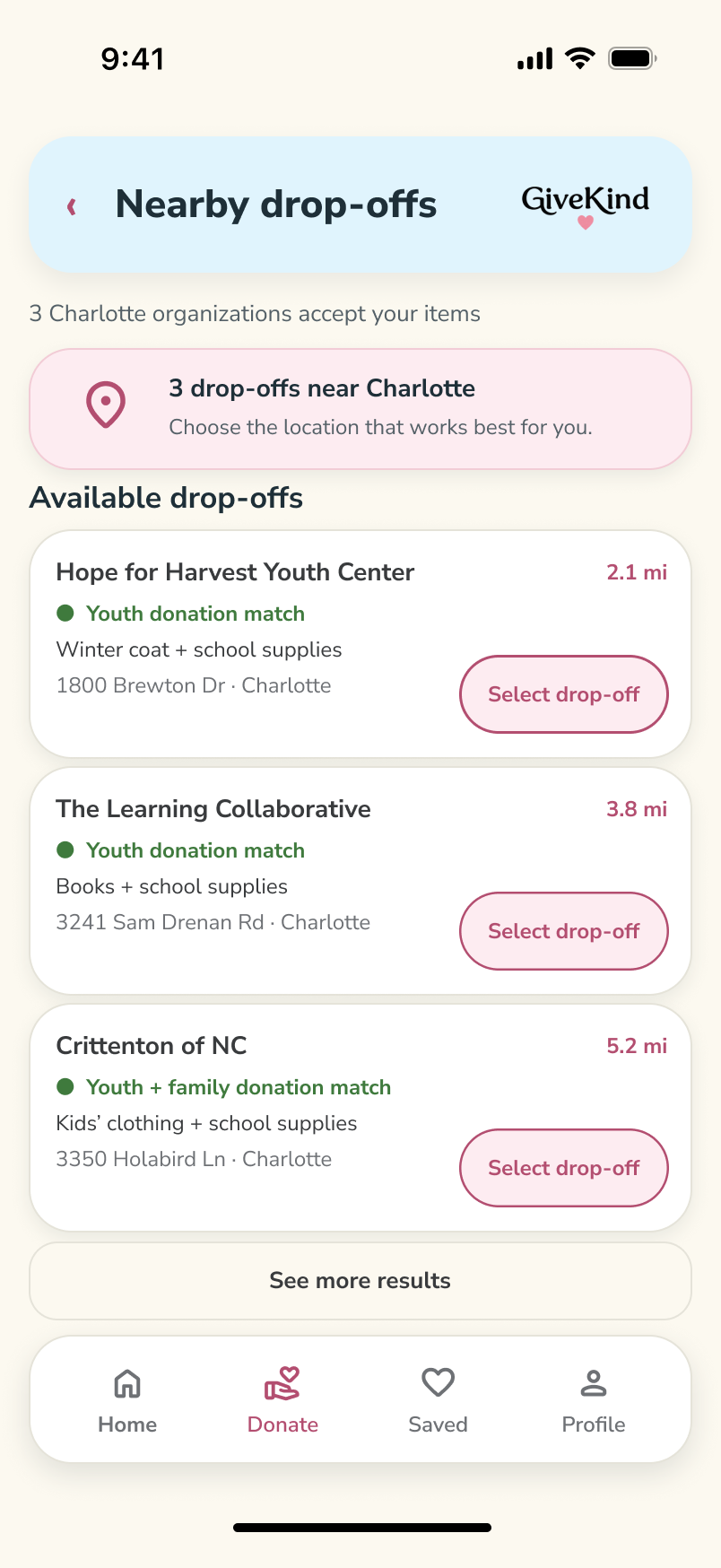
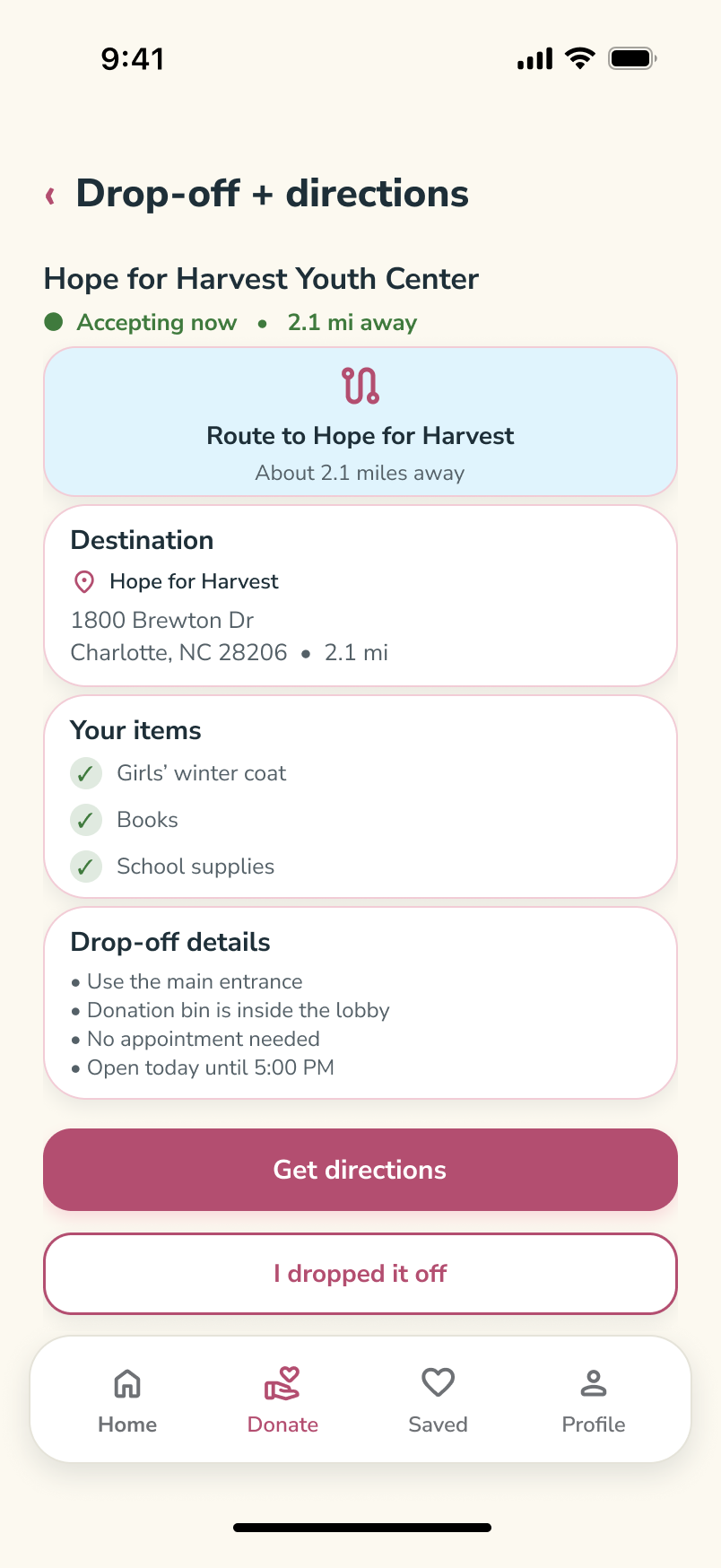
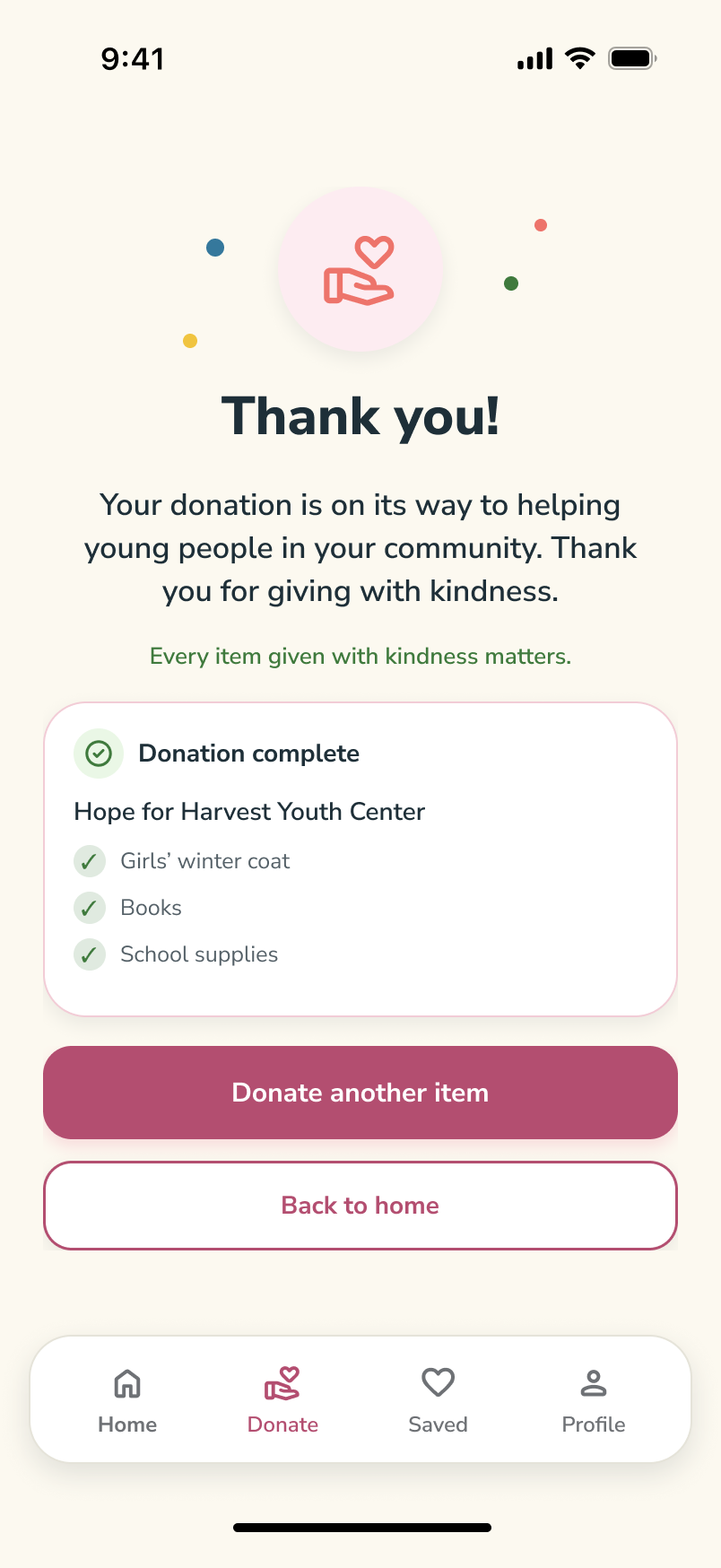
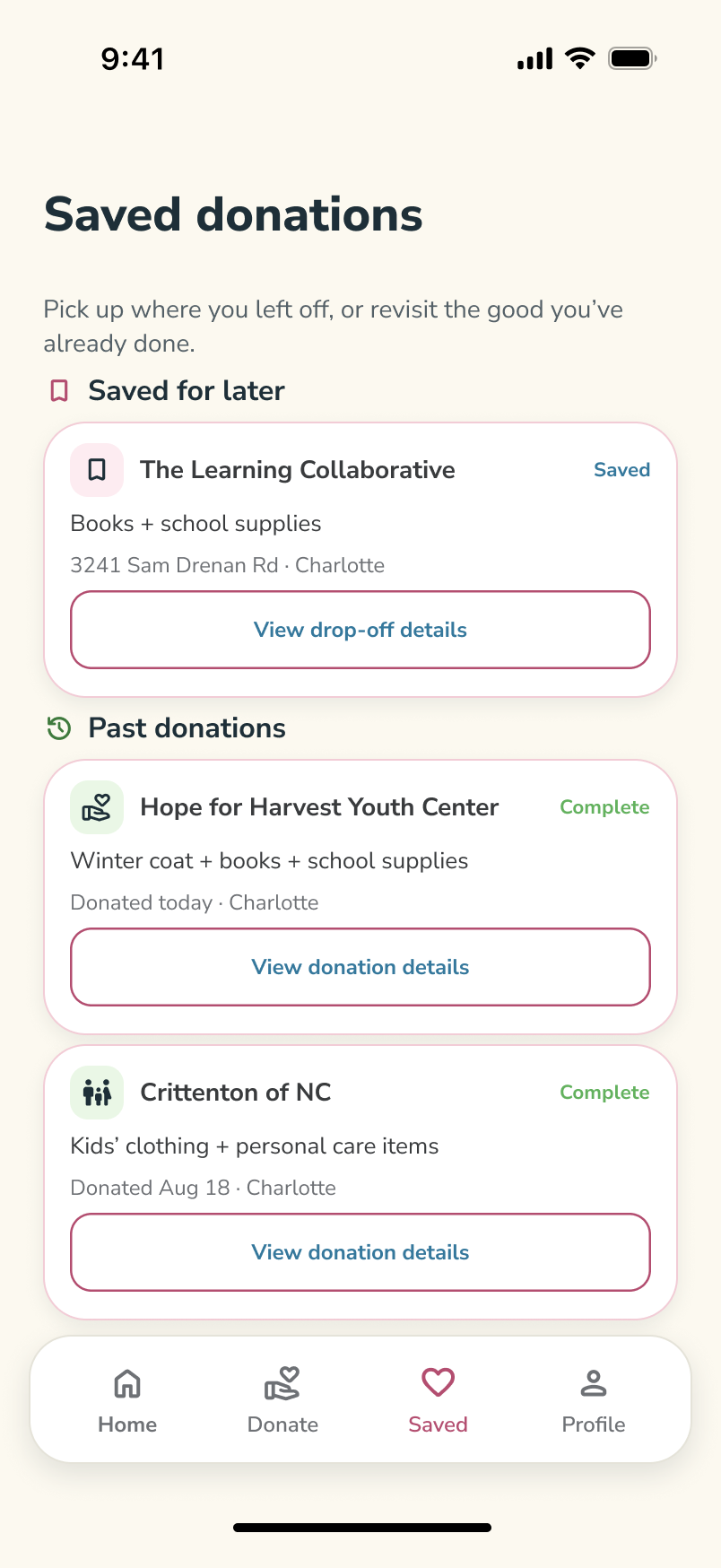
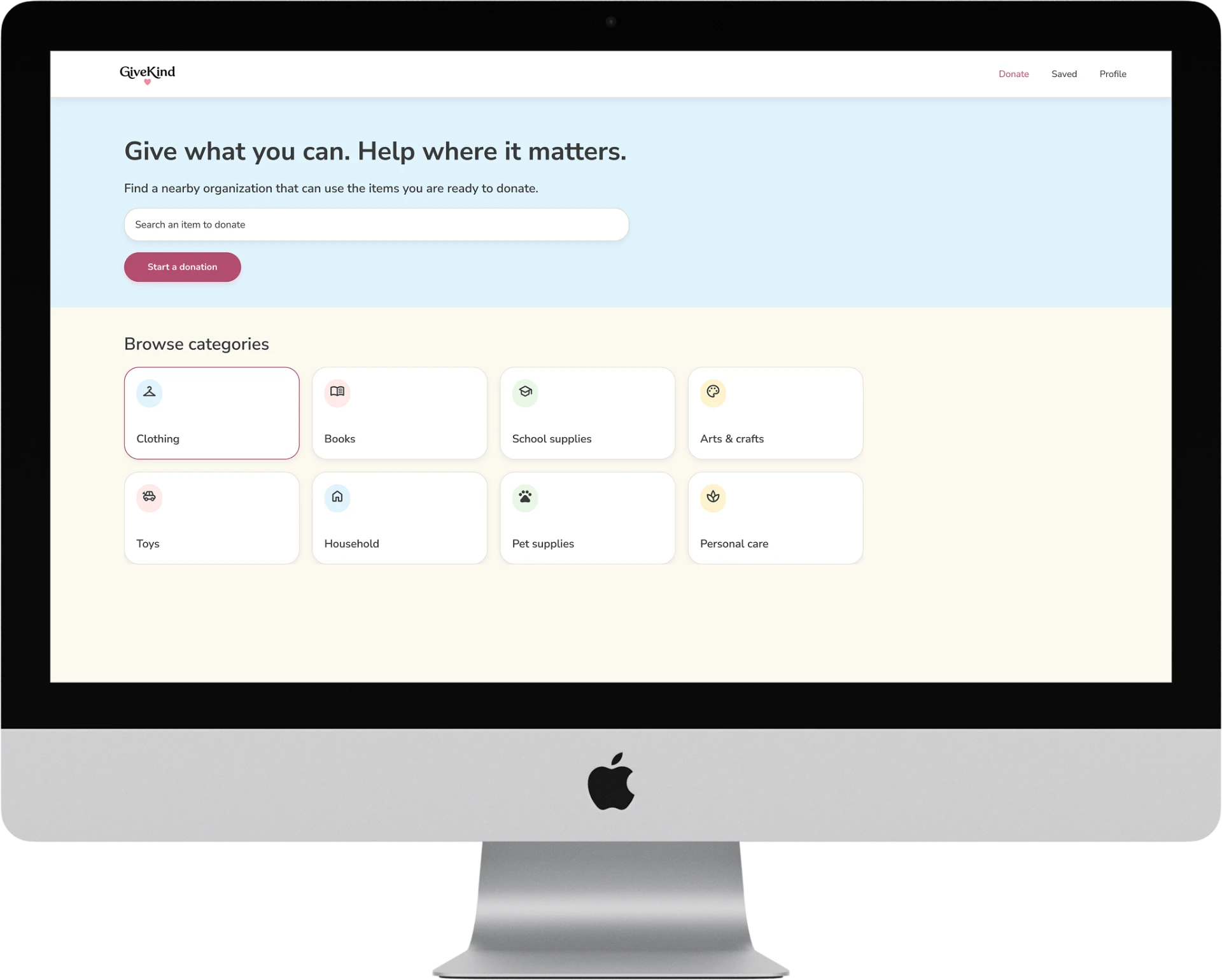
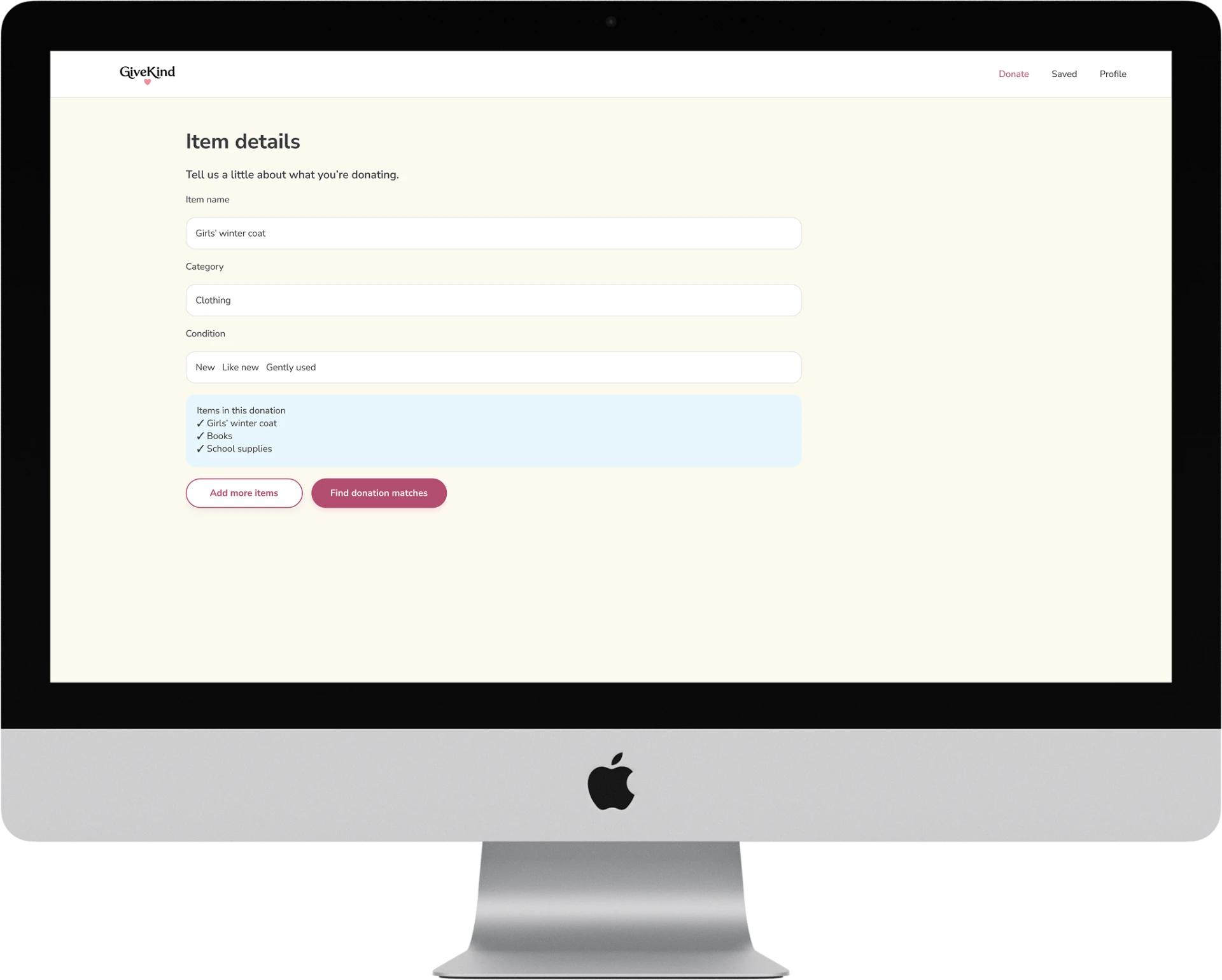
I used the desktop grid to show donation categories and drop-off information with less scrolling, while keeping the same labels and main actions as mobile.
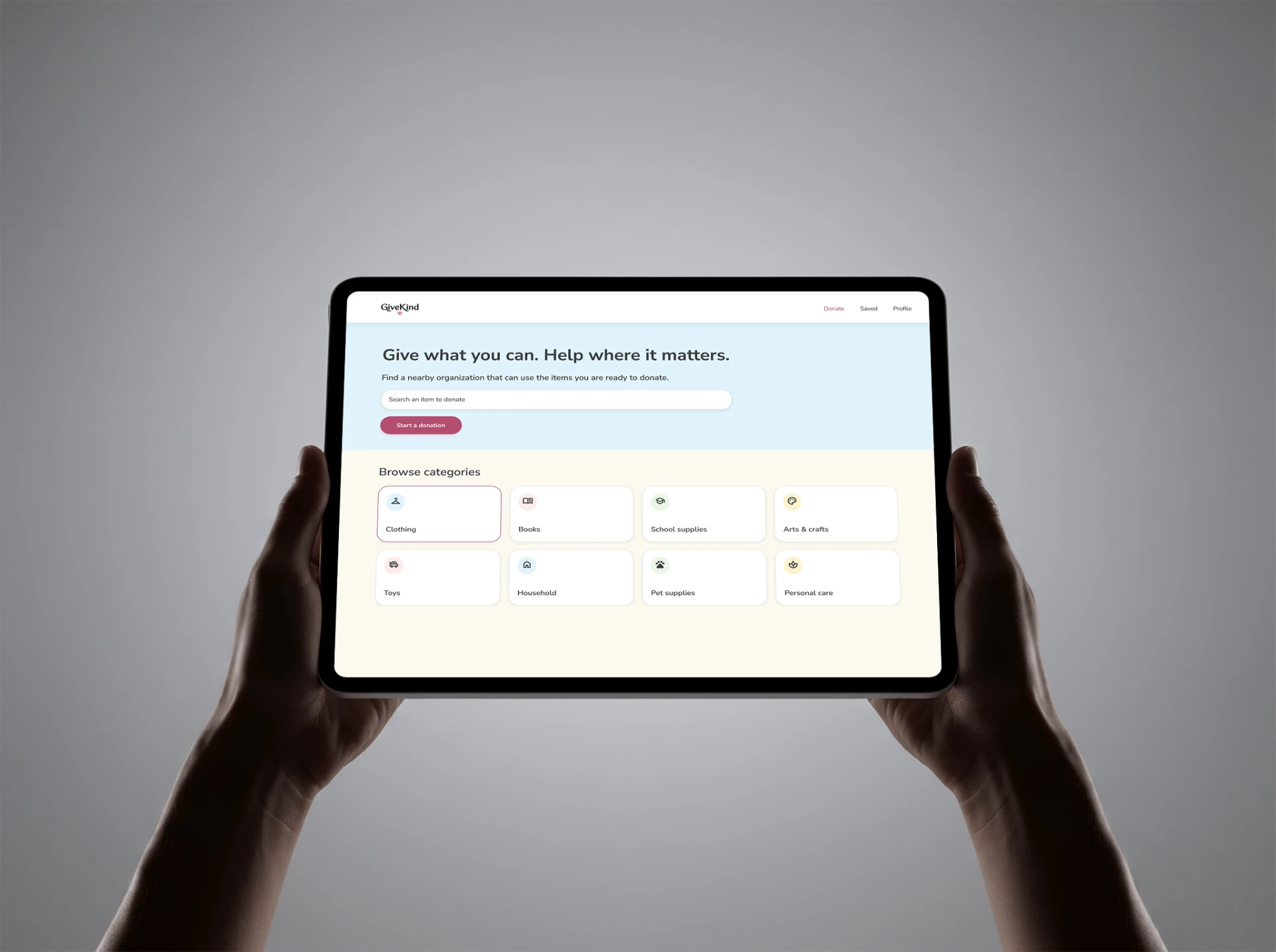
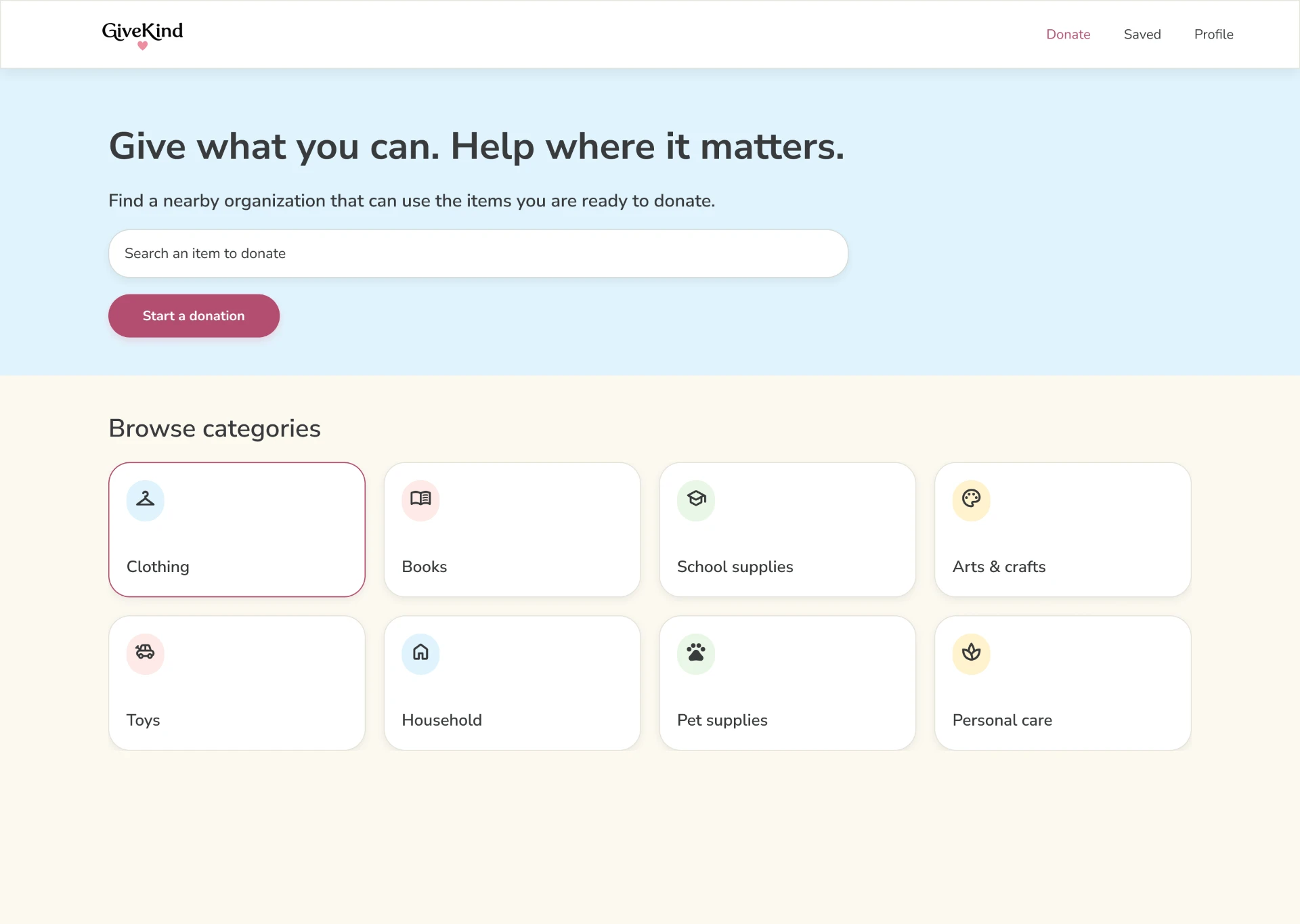
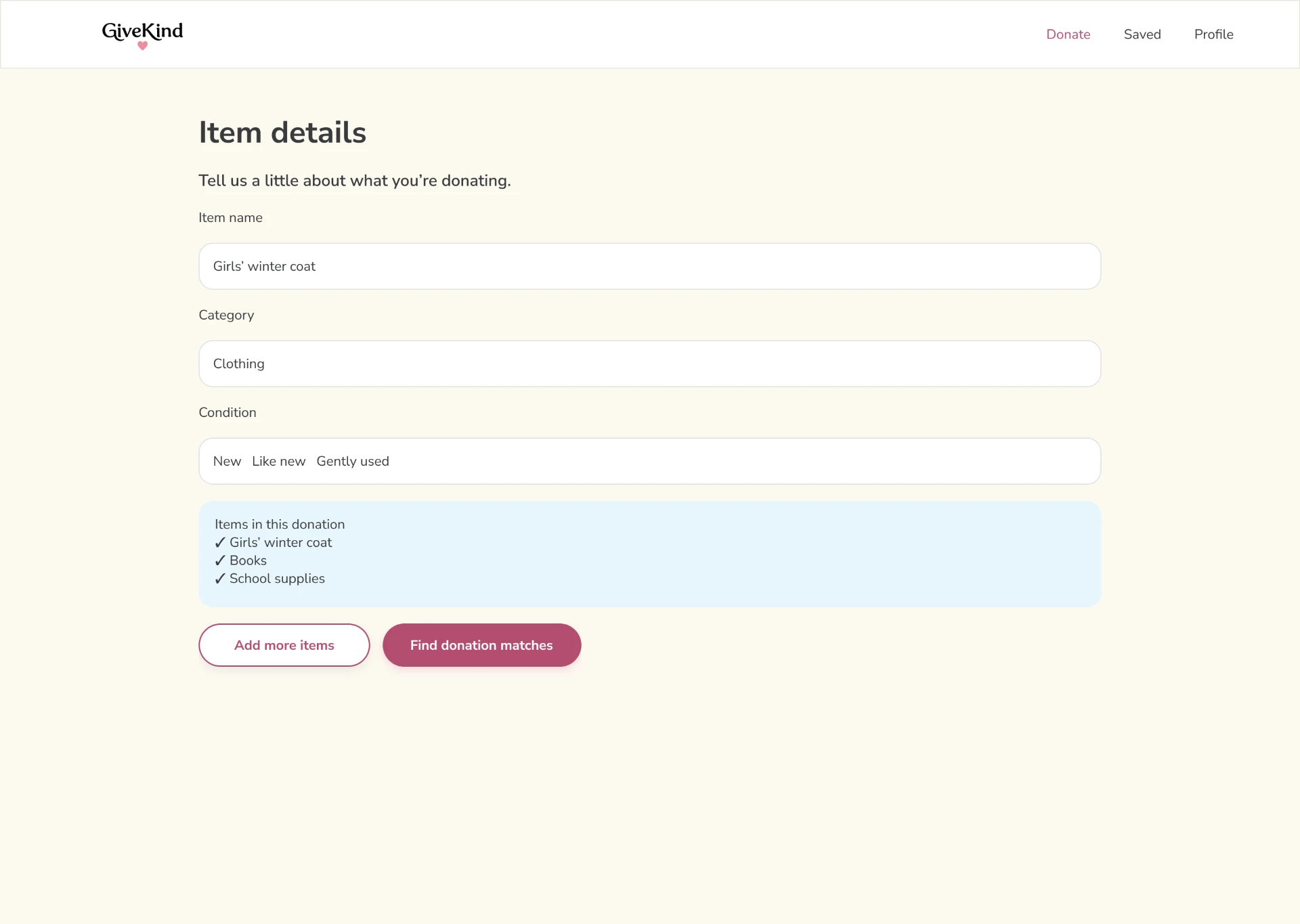
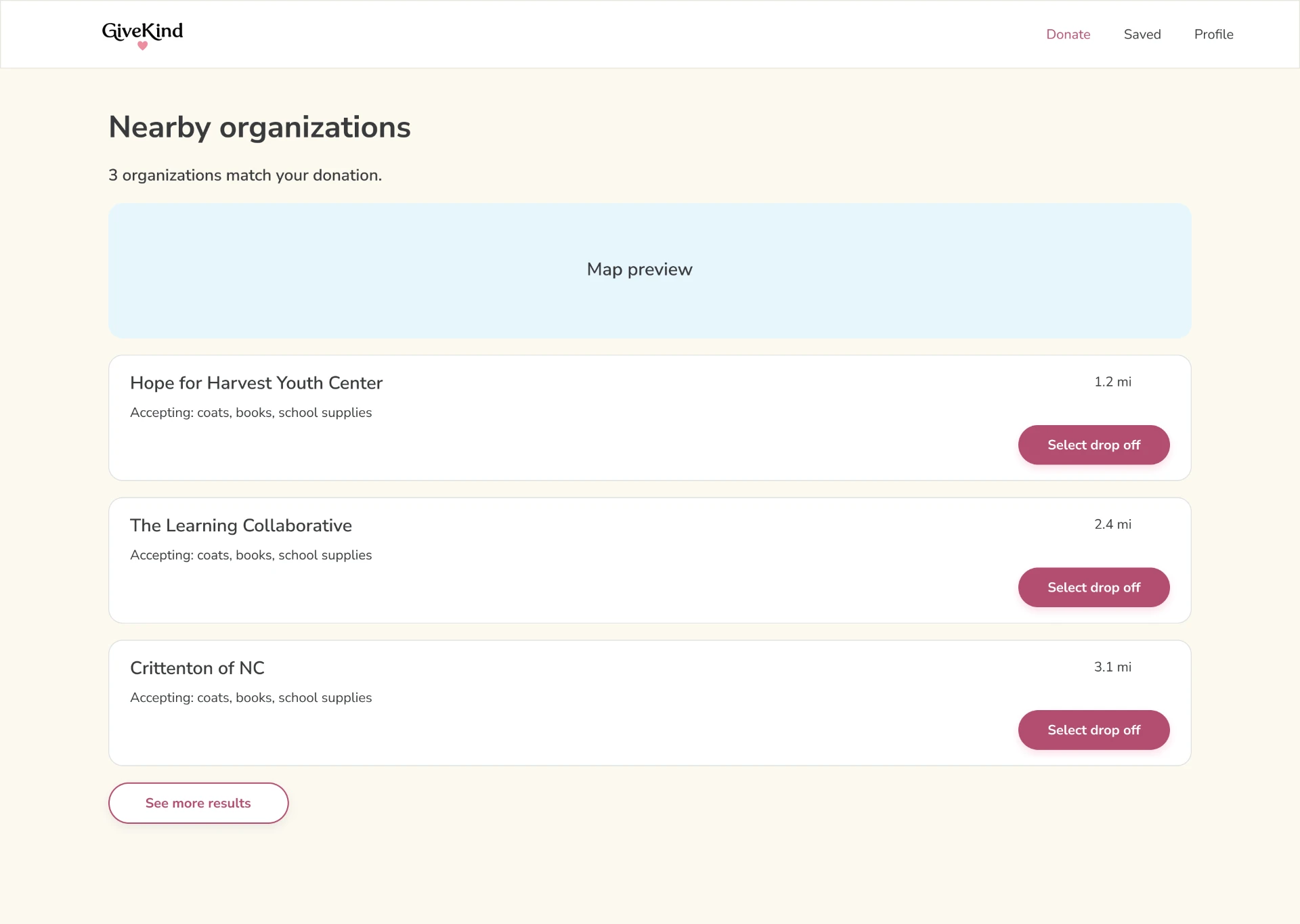
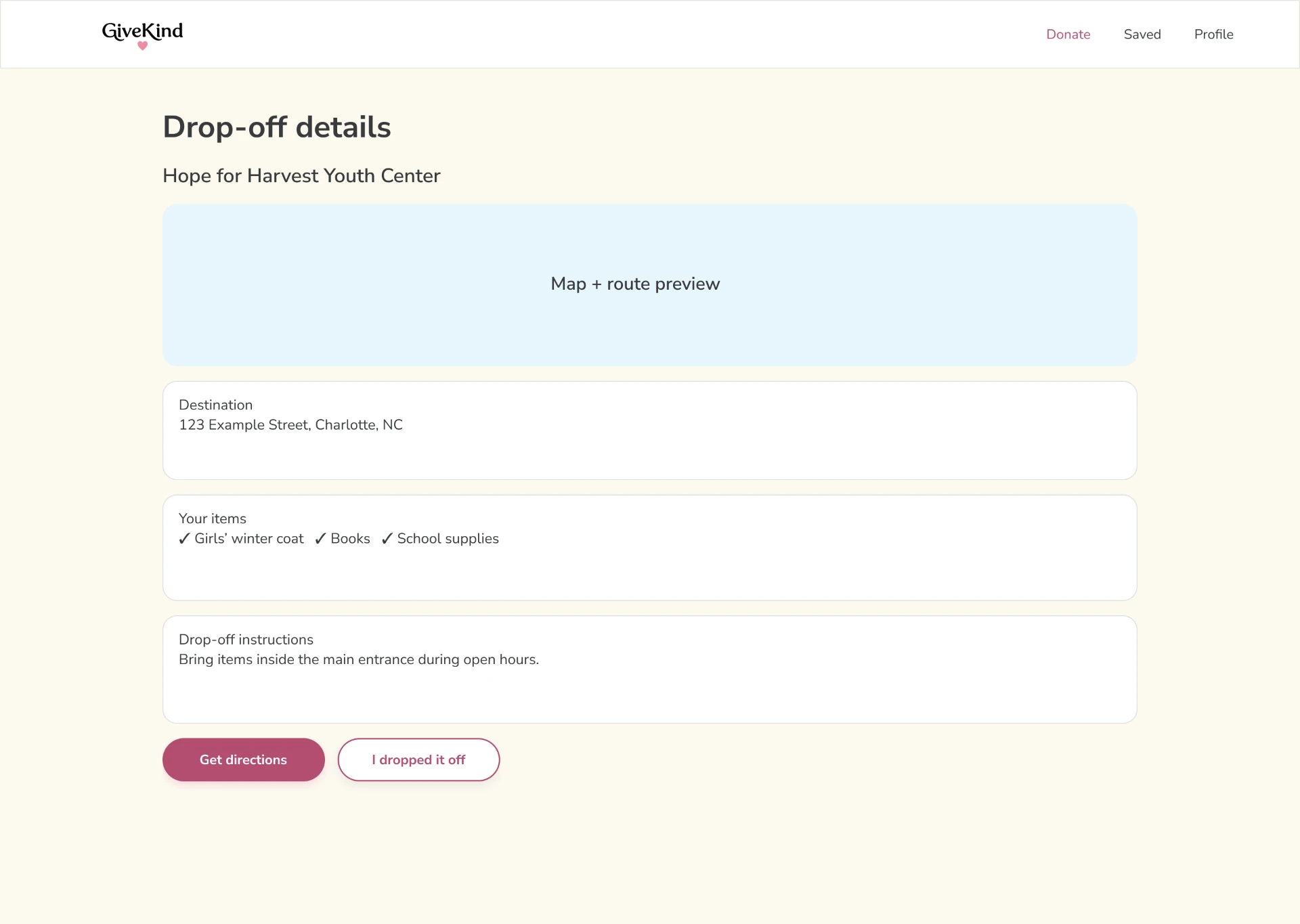
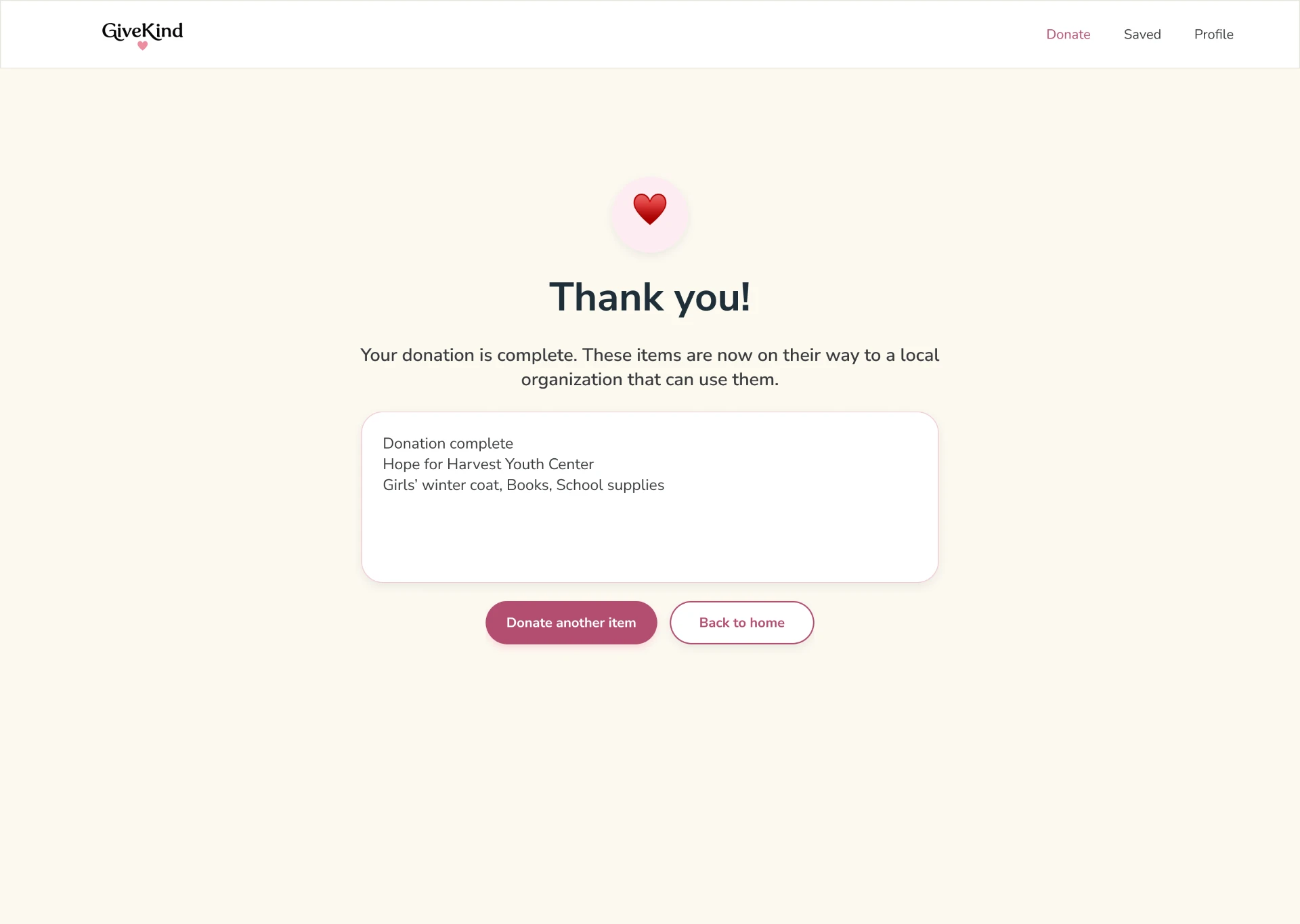
On desktop, I grouped destination information, accepted items, and directions so the next step stays clear without extra navigation.
I used color to signal purpose: pink supports GiveKind's identity and donation moments, while blue helps users locate the next step.
COLOR SYSTEM
Brand + donation emphasis
Find-a-drop-off actions
Context + wayfinding
Cards + reading surfaces
01
A shared 16 px radius and consistent button styles help primary and secondary actions read predictably.
02
Repeated card layouts help people compare organizations and revisit donation details without relearning the interface.
03
Pink adds warmth; blue guides location-related decisions; neutral surfaces keep longer content readable.
I reviewed the prototype for hierarchy, selected states, tap spacing, and readable text. Usability testing and formal contrast checks are still needed.
01
I prioritized dark text on light surfaces and clear action labels. Contrast values still need to be verified.
02
Active navigation, selected categories, and donation status use more than a color change alone.
03
Controls have visible labels, generous padding, and enough separation to reduce accidental taps.
ACCESSIBILITY DECISION
Reduce visual noise before adding more explanation.
I simplified grouping and reduced competing accents before adding more instructions. This is a design review, not a completed accessibility audit.
The final mockups connect item entry, drop-off planning, and saved history across mobile and desktop. Each view preserves a clear next action.
MOBILE · ITEM DETAILS, DIRECTIONS & SAVED
The same card structure ties together item entry, drop-off directions, and saved history, making each next step feel familiar.
DESKTOP · ITEM DETAILS
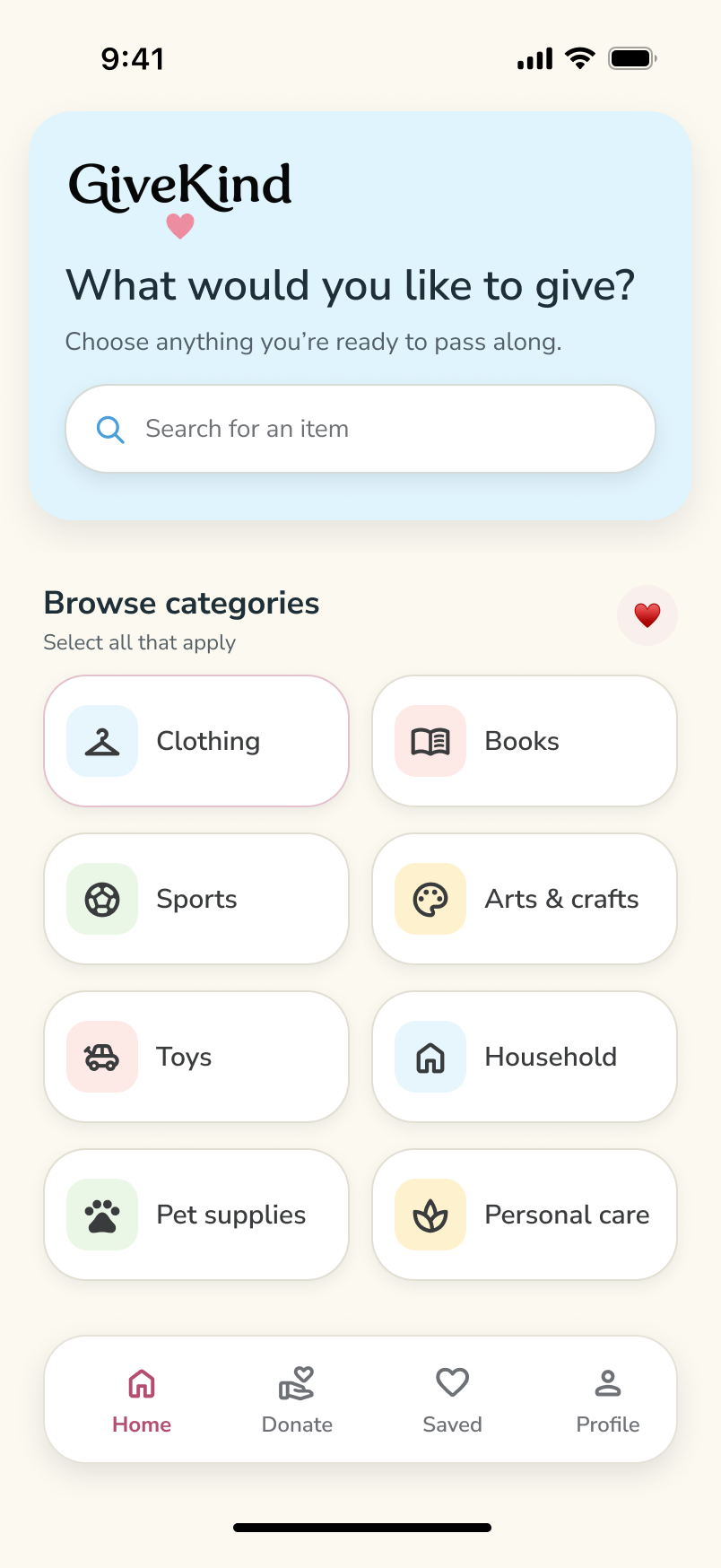
MOBILE HOME · CATEGORY DISCOVERY
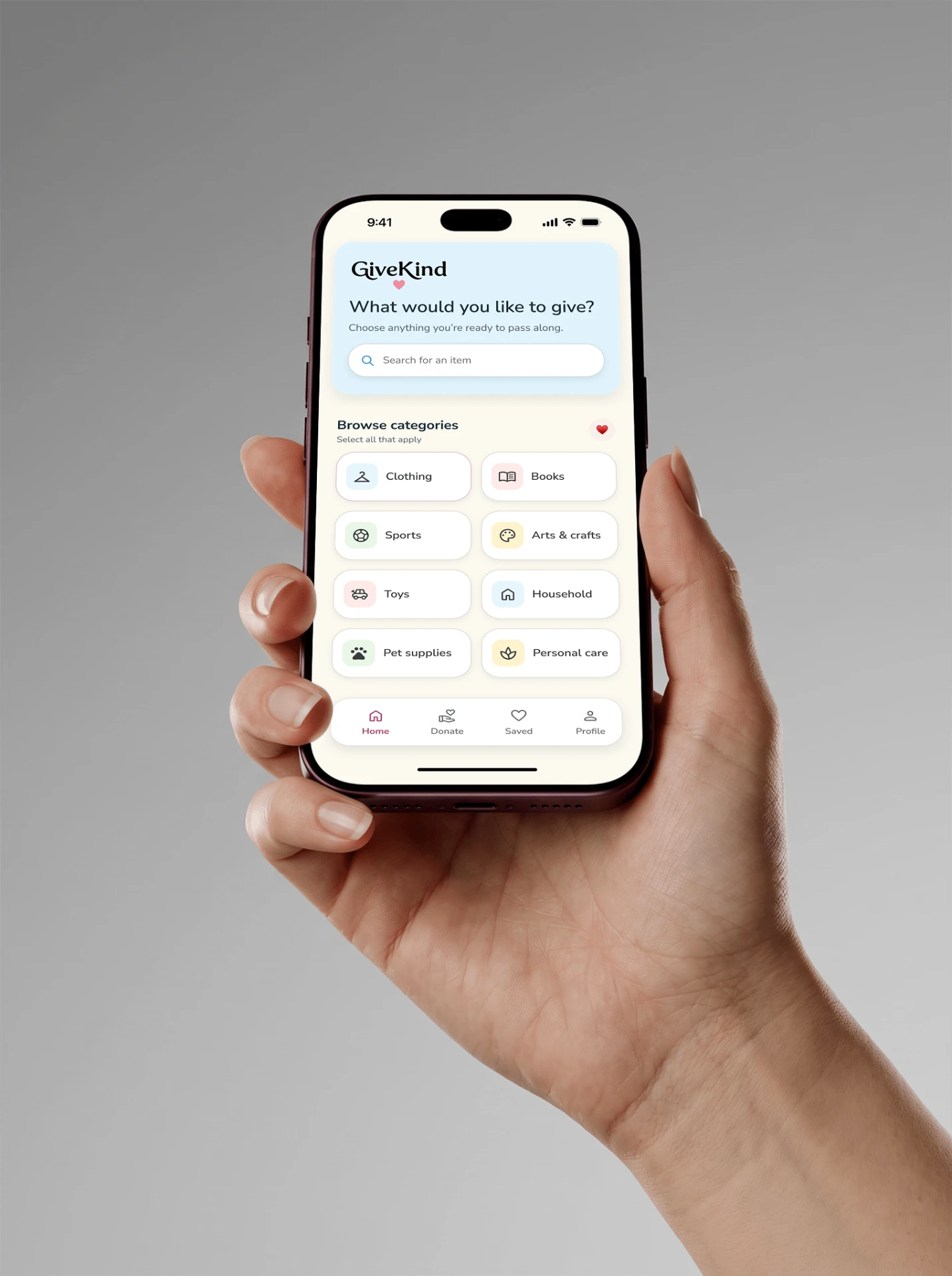
Designing for more than one device meant preserving the donor's next decision, not reproducing identical layouts at every width.
01
Starting with donated items gave the matching journey a clear purpose and kept the first decision manageable.
02
I'd test the multi-item flow with donors and verify that organization acceptance rules are accurate before launch.
03
Wider layouts made room for more context, but the primary next action still needed to remain obvious.
FINAL TAKEAWAY
Make donating feel like one clear decision, not a chain of small obstacles.
GiveKind is a concept prototype. The next step is testing whether donors can complete the journey and trust the matches they see.
GiveKind
Youth donation matching · responsive UX/UI · 2026
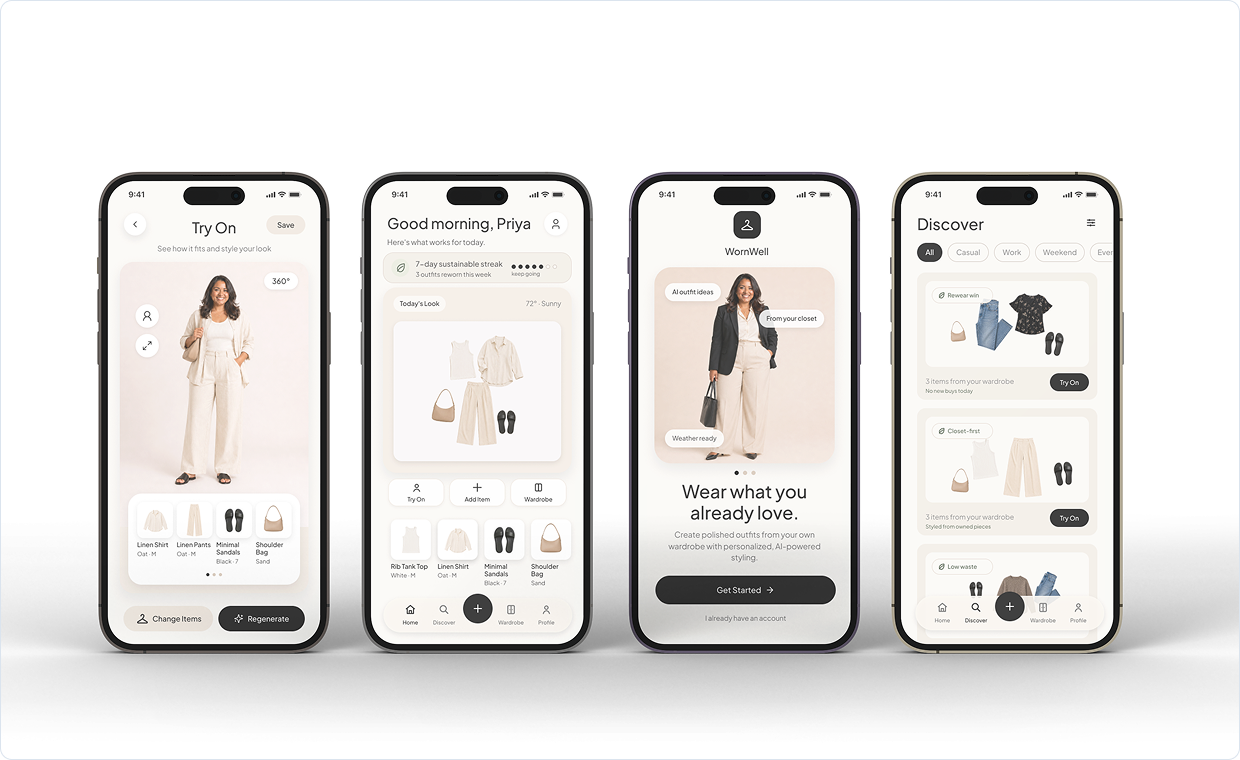
WornWell Closet App
2026
UX/UI App Design
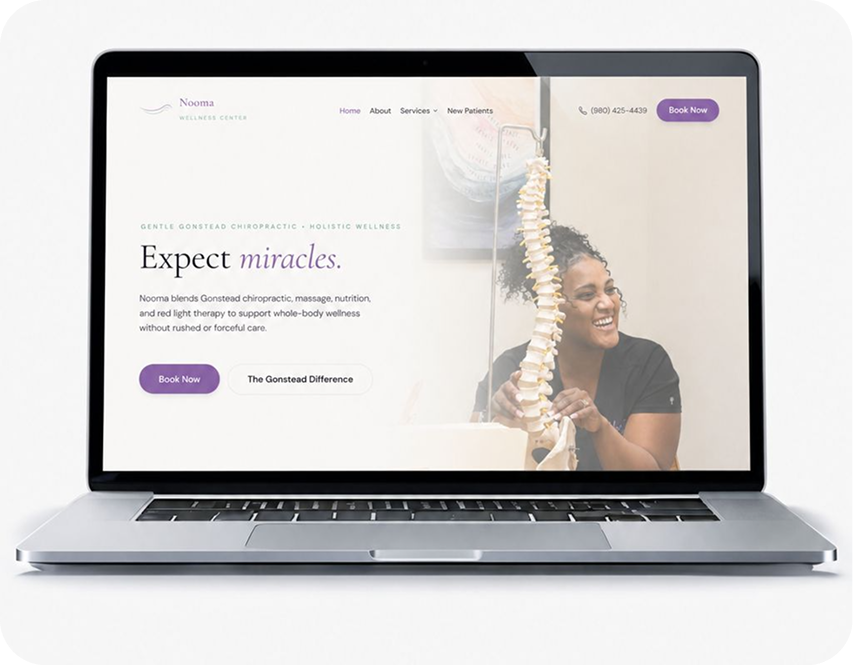
Nooma Wellness Center
2026
Website Redesign
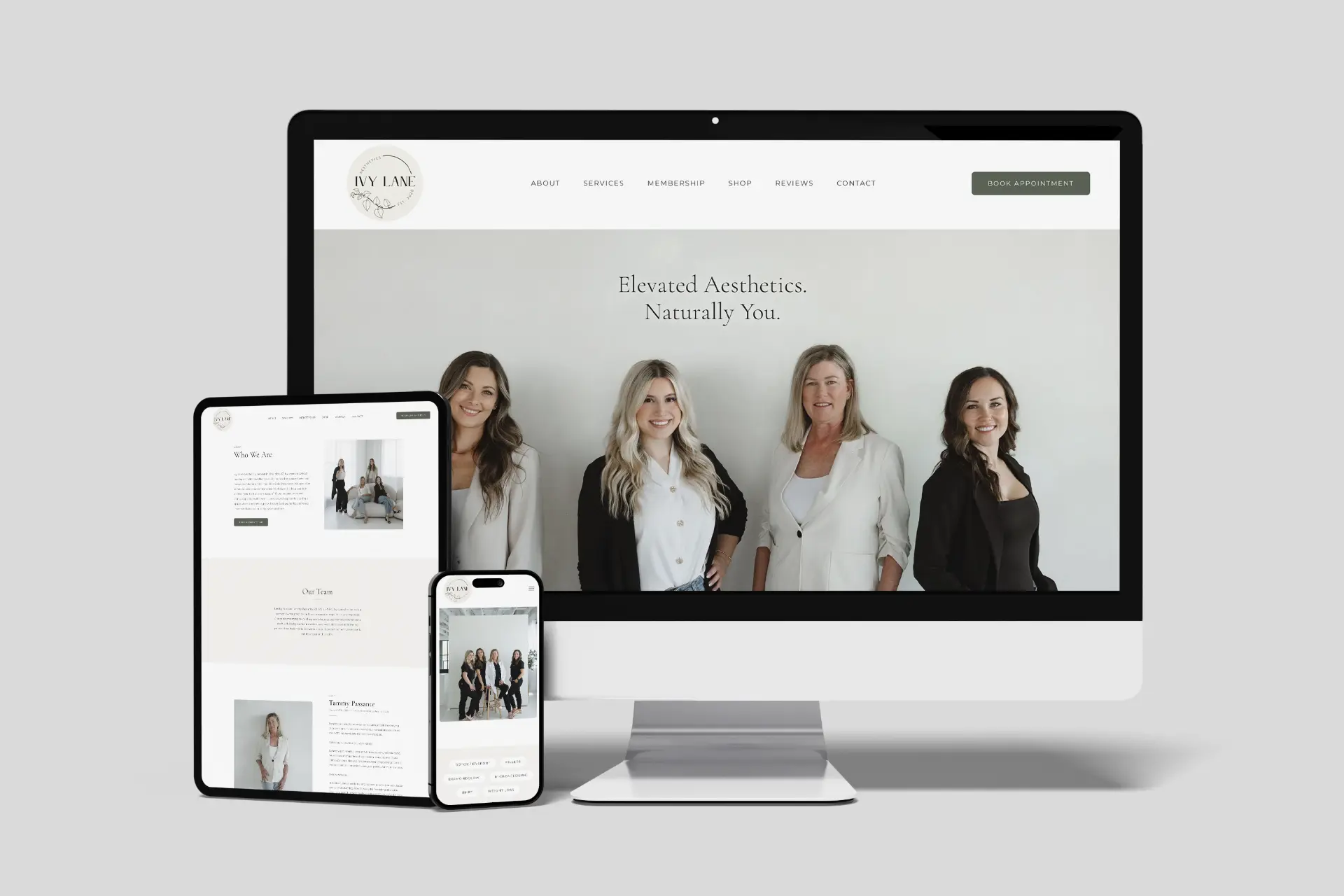
Ivy Lane Aesthetics
2026
Website Redesign
editorial. digital. refined.
Strong structure, intuitive flow, and an editorial eye across UX/UI, web, and visual design.
Open to full-time, part-time + contract opportunities
© 2026 Amy Design Studio